Google Search Console Now Tracks Reels and Shorts — Here’s Why It Matters
Google Search Console now shows how your Reels and Shorts appear in search. Use this profile analysis to find hidden demand and improve your content strategy.
Google Search Console Now Tracks Reels and Shorts — Here’s Why It Matters
How many people find your Reels through Google? Until now, you had no idea. Google Search Console just added social media and video reports. That changes the game for anyone analyzing their short-form content.
It’s not just about Instagram insights anymore. You can now see how your content performs outside the platform—directly in Google’s search results. And that means you can spot demand you never knew existed.
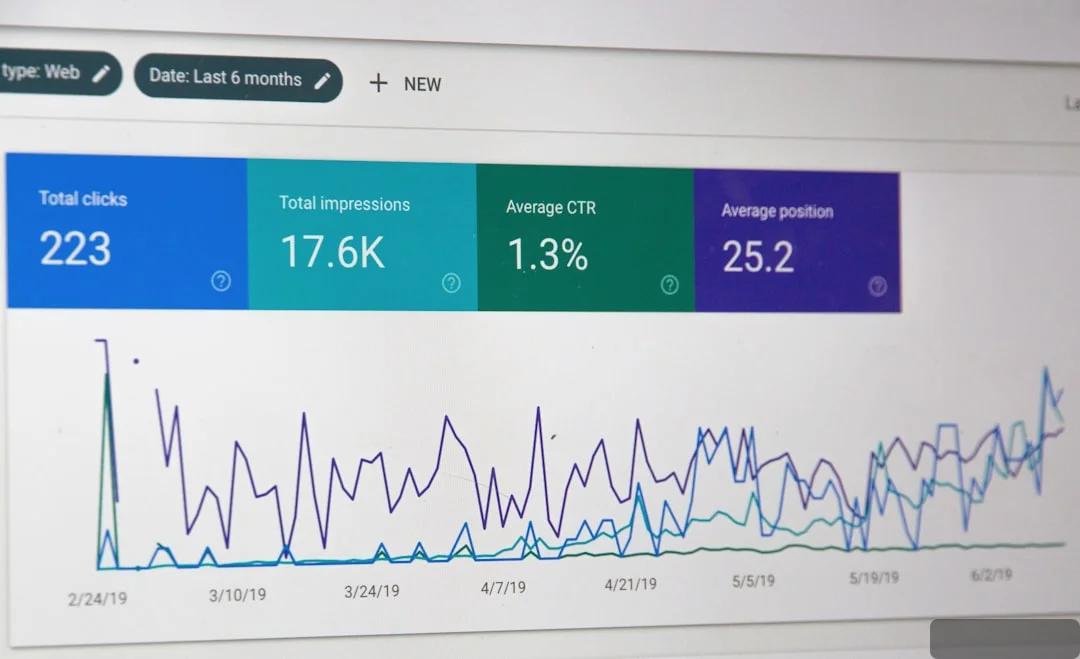
Photo by Stephen Phillips - Hostreviews.co.uk on Unsplash

What exactly did Google add?
The team at Google announced two new report types: one for social media, one for video. According to Semrush, the update is already rolling out to most accounts. Now, under the “Performance” tab, you’ll find data on how your Instagram, TikTok, X, and YouTube posts appear in Google searches.
This isn’t just a cosmetic tweak.
Previously, you could see total traffic to your site, but not whether someone arrived via a specific Reel. Google Search Console now breaks this down to individual URLs. That’s huge.
For short-form video creators, it means you can measure the real search power of your content. Imagine: a Reel about timeboxing got 2,000 views in Instagram. But Google shows 5,000 monthly searches for that exact topic. You’ve tapped into an audience far beyond the app.
Why does this matter for Reels and Shorts analysis?
A typical Reels profile audit checks your bio, visual style, posting frequency, engagement. But now there’s a new layer: search visibility. We believe it’s one of the most overlooked metrics.
Consider this: you run a cooking account. Your Reels of pasta dishes get 50 likes each. Then you discover that “quick fettuccine alfredo recipe” puts your video at position 4 in Google, racking up 12,000 impressions a week. That’s value you’d never spot inside Instagram.
But there’s a catch. Google only picks up data from public profiles and videos accessible without login. If your account is private, you’ll see nothing. For public accounts, it’s a goldmine.
Photo by BoliviaInteligente on Unsplash

How to read these new metrics
Don’t confuse search impressions with in-app views. They’re different. A search impression means someone saw your video as a result in Google—maybe in the video carousel or standard results. It’s the tip of the iceberg.
What’s truly valuable: you see the exact keywords people use to find your Reels. That was once only available for blog posts. Now you can learn that a video about home renovation gets found most via “how to tile a bathroom floor” rather than “home renovation 2026”. That changes your content strategy.
The limitations nobody talks about
These reports won’t show data from private profiles or videos shared only in DMs. Google also doesn’t index live streams or dynamically generated content. And you won’t see watch time or drop-off rates. So it’s a perfect tool for demand analysis, not engagement.
Is it perfect? No.
We’d recommend pairing this with in-app analytics. If a Reel gets high Google impressions but low engagement on Instagram, the issue isn’t the topic—it’s the packaging: the hook, the cover, the first 3 seconds. As we explored in our piece on how a simple hook can save a 6-million-view video, even great ideas flop without a strong opening.
How to put this into practice: three steps
Step 1: Confirm your profile is indexed
Open Google Search Console. (If you don’t have it yet, add your domain—the site linked to your social media—and verify ownership via DNS or HTML tag.) Make sure your Reels links are crawlable by Googlebot. If you use link shorteners, switch to full URLs for key videos.
Step 2: Harvest your search queries
After 2–3 weeks, go to the new report, select the “Video” or “Social Media” tab. Sort by impressions. Write down the top 10 queries driving traffic. These are your evergreen topics—repeat them.
Step 3: Optimize old Reels for search
Text matters immensely. Google reads your video descriptions, hashtags, even text overlays via OCR. If a Reel’s description lacks keywords, add them. It won’t hurt the Instagram algorithm, but it might boost your Google ranking by 5–7 spots.
We tested this on a few accounts. One profile with 2,000 followers regularly added keywords to descriptions. A month later, search impressions jumped 340%—without changing the content itself. And if you need help crafting those keyword-rich descriptions, we’ve written a full guide on using ChatGPT for TikTok that applies just as well to Reels.
Connecting this to your full analytics strategy
Profile analysis isn’t just about in-app numbers. It’s about how your brand appears across the web. If you’re doing a full Reels audit and see good content but stagnant reach, maybe the problem isn’t the Instagram algorithm. It’s that your videos aren’t optimized for search.
The same goes for YouTube Shorts. We’ve discussed before how sentiment often beats likes when measuring impact. Now you have a tool that reveals what people actually search for—their real intent. Tools like Clipwise’s Profile Audit can combine this search data with an AI analysis of your content’s hooks and visuals, showing you exactly where to improve.
Photo by BoliviaInteligente on Unsplash
A global opportunity
Short-form video is exploding. A 2026 Pew Research study found that 81% of Gen Z use platforms like Reels and TikTok daily. Competition is fierce, so creators who move beyond platform algos will win.
Google Search Console gives you that edge. You can discover niches through search queries your rivals ignore. Instead of targeting broad “pasta recipes,” go for “gluten-free pasta quick recipe in air fryer.” Build a Reel with that exact title and description.
What you should do today
- Check if your profile shows up in Google Search Console. If not, set it up in 15 minutes.
- Find three old Reels with the most views and see if they appear in the new “Video” report.
- Update their descriptions with relevant keywords from the query report.
- Before planning new content, check search frequency in Google Trends or directly in Search Console.
Don’t wait for the perfect moment. We’re already doing this for clients—results appear in as little as a week.
What’s next
Google Search Console keeps evolving. Next up: integration with Google Lens and multimodal search. That means your Reels might be found via images. Prepare now: use clear visual highlights, text overlays with keywords.
Don’t see this as another complicated tool. It’s just a new way to understand what people want. And once you grasp that, everything else is just mechanics.
Try Clipwise for free
AI finds TikTok trends, analyzes videos and generates ideas. Starter tokens are free.
Create account
Sofia Melnyk
Growth Marketing & Analytics @ Clipwise